


Pound-a-Mile First Week

So, I’ve had 8 days of the Pound-a-Mile challenge. My legs hurt. In a good way, though. I think.

In those 8 days, I have already blown my required 17.5 miles-a-week average out of the water, cycling over 50 miles. OK, that’s 8 days not 7, but still. It was 40 on the 7th day anyway. And you know what? I’ve enjoyed it. Sure, I’ve not enjoyed the oh-god-its-2-degrees-outside, 25-mph-winds-WHATness of last week, but after a couple of miles on each trip I was into it and enjoying it. Which is good, right?

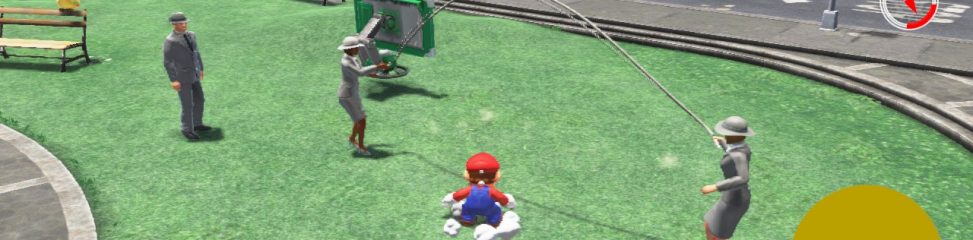
I decided to treat myself by spending 22 miles on a copy of Super Mario 3D Land for the 3DS. Hurrah!

Leave a Comment

Filed under cycling, games

The Pound A Mile Challenge

In previous years, I’ve attempted to curb my game spending and encourage myself to actually complete games I have by gradually reducing the amount of money I’m allowed to spend on them. These were known as the £25, £20 and £18 Rules. Last year, I kept to the £18 Rule – meaning I’ve currently missed out on Mario 3D Land, Skyrim and Batman Arkham City, as they’re not cheap enough (yet) for me to buy.

That isn’t a problem though, as I’ve plenty of other things to play, and they’ll drop in price eventually. Except Mario, of course, which won’t. Ever. Hmm.

There is also an issue with the £18 Rule, in that I can still buy as many games that are less than £18 as I like. Mainly, this was downloadable titles for XBLA, the 3DS and the Wii last year. And they all add up. In terms of value for money, a £40 Skyrim purchase would do me better than the 7 or 8 downloaded titles I probably bought instead. Which means I buy more games, although generally still do spend less. Perhaps.

This year, I’ve decided on something different. Why not apply a physical limit on game purchases, instead of a monetary one? And so it has come to pass that I am announcing…

The Pound A Mile Challenge

The basic rule is this: for every mile I cycle, I’m allowed to spend one pound.

That’s it. Simple, right? There are a few additional rules, however:

1) Miles must be earned before being spent.
2) Game prices do not include postal charges.
3) Store credit, vouchers, etc. can be used instead of (or in addition to) miles.

With this rule, I hope to rethink how much I really want a game. Is it worth me going out cycling for 30 miles in order to buy Mario 3D Land? I also hope to get fitter simply through desire for a game.

One challenge this year will be the Wii U. I’m expecting the price to be around £200. Which means, I’ll need to cycle 200 miles to get it. Not all in one go, of course. I’m not Jochta. I’ll really need to work for it!

Last year, I spent just shy of £900 on games and game “stuff”. If the same is true this year, I’ll need to cycle 900 miles in 12 months. On average, I’ll need to be doing about 17.5 miles a week to spend that much. To some, like HarpingOn and Jochta and people who are not me in general, that’s not a lot, but it’s above my current average so I’m going to have to train harder and for longer. That’s not such a problem in the nice weather, as I can easily manage 8-10 miles in a day (in my current fitness state – hopefully this will improve!), but at the moment 4 to 5 miles is the norm. I may have to “stock up” the miles over the summer in order to see me through the winter!

Ultimately then, I’ll end up doing one or the other of these:

1) Being unable to keep up the mileage, so spend less on games, or
2) Being able to buy whatever games I want, so end up fitter.

Either outcome is a win, although 2) is clearly the target :)

7 Comments

Filed under cycling, games

The 2011 Gaming Expenditure Horror

At the start of 2010, I began recording the price of everything I bought that was gaming related. At the end of the year, I put together the stats. That was all well and good at the time, but without anything to compare it to, it meant nothing. Until now!

I’ve not bothered with a dull list of each and every game I’ve bought in this post (they’re pretty much all on my Gaming Diary anyway), but I do have the cold hard numbers to excite you with. And pie charts!

In all, I spent £888.22 this year. Last year, that figure was just £590.32, almost £300 less. However, there are two things to bear in mind: 1) Last year I didn’t buy any consoles, whereas this year I got both a 3DS and a PS3, and 2) Last year I broke the £20 Rule by buying Fallout New Vegas for almost £70, and this year I haven’t broken the £18 Rule at all.

Here’s how the hardware/software split works out:


And 65.2% of £888? £579 – just under last year’s software spend. I expect a similar situation this year when the Wii U comes out, as I’ll need one of them. Yes, need.

How did the spending break down by platform?

Last year, it was 45% Wii, 34.5% 360 and not much else. This year, it’s a whopping 32.6% 3DS, and the 360 and Wii taking 2nd and 3rd places. This chart does take hardware into account, however, so most of that 12% PS3 slice is actually the console – I haven’t bought many PS3 games.

Finally, the spend by medium:

This shows a surprising increase from 25% to almost 35% for downloaded software (the chart doesn’t include hardware). Much of this is due to the huge number of 3DS Virtual Console and eShop games I’ve bought, but also a general increase in the number of 360 and Wii digital store purchases. There are a few PSN titles in that blue wedge too.

So what have I learned from this little exercise? Very little. My expenditure on software is virtually the same (although the actual number of games bought has increased from about 90 to over 130 – clearly I’ve been buying cheaper!), and things are progressing in the world of digital distribution as I expected it to, although perhaps not as quickly. Things will be more interesting come next year!

2 Comments

Filed under games

Mario Kart 7

Hey, did you know that the free GBA games for 3DS Ambassadors were up today? Well, they are. And Mario Kart: Super Circuit (wot is ACE) is one of them.

Of course, the 3DS Mario Kart, Mario Kart 7 is out too. And probably better. But you could have both! Hurrah!

Skidding on to the Nintendo 3DS comes Mario Kart 7.

Pick your favourite Mushroom Kingdom character and aim for the chequered flag in the latest addition to the popular Mario Kart family. With new tricks under the hood Mario Kart 7, for the first time, gives you the opportunity to customise your karts to give you the edge in a race and gliding karts!

Note: This is a sponsored post.

Leave a Comment

Filed under games, video

The new Xbox 360 Dashboard

Rant moan rant rant moan.

That’s all I’ve seen written about the new 360 GUI. It’s rubbish. Everything is hidden. There’s too many adverts. Games aren’t the focus any more. It’s too confusing. Everything is seventeen menus deep and behind carousel images. Rant bloody rant moan moan.

With good reason:

Everything is hidden. There’s too many adverts. Games aren’t the focus any more. It’s too confusing. Everything is seventeen menus deep and behind carousel images.

Of course, it looks nice. It really does – clean and swish, and everything moves around seemingly much faster than before. With my useless Sky “Broadband” connection, the images on everything take a while to load, but at least I can chuck the screens around without having to wait, so that’s not the end of the world. I also like how playing my most recently played games is now a bit easier too, with the disc in the tray a single stab (been playing Assassin’s Creed, sorry) of A away and the ten most recent installed games and demos just down-and-A. Nice.

Unfortunately, it’s finding everything else that’s a problem. Getting to installed content is akin to one of those steady-hand testers, where accidentally veering into the wrong menu or tab or button or whatever the hell else you end up in means you get lost, electrocuted, and essentially have to start again. Finding new content, be it Arcade games, demos, or (worst of all) Indie Games is now five hundred and forty six button presses or more, is displayed in a jumble of nonsense, and even lumps stuff that isn’t new games (like game trailers and videos) in the list of new games. I spent ages last night excitedly trying to download Sonic CD from the New Games bit on the Games Marketplace only to realise it isn’t out – there’s just a video to look at.

Most worst (and most worser than my grammar) is the special offer section. Take the current Ubisoft offers, for instance. There’s an offers section, and within that an Ubisoft section. Fine. Except the Ubisoft section is three screens wide, with only 5 “tiles” on each. And then, on two of these screens, the middle (larger) tile is actually a carousel of several offers which cycle through, meaning you have to watch and wait to find out all the offers. Then move to the other screen and watch and wait there. I was later told (it doesn’t say this on the GUI anywhere) that you could select the carousel and use the right-stick to flick through manually, but even so – why can’t all the offers just be in one big list on one screen, which scrolls if necessary? Or at the very least, provide a “show all” button? They’re going to lose sales because people can’t browse – they essentially have to sit and watch adverts instead.

The browsing thing applies to pretty much everywhere as well. Unless you know what it is you want, finding stuff to buy is a chore. Impulse purchases are going to drop as a result, so it’s not only a bad design issue, it’s a bad business move – especially for the smaller companies who thrive (or throve) on XBLA sales. You can’t stumble upon their games any more, you have to seek it out. Often, when I had five spare minutes having finished a game or something, I’d have a quick nose through the marketplace at new stuff and offers. That’s not going to happen any more.

With the shift in focus from games to “home entertainment”, the menus on the dashboard now have lots of video, music and social “features”, almost exactly none of which I will, or even can, use. As I’ve mentioned, my internet connection is akin in speed to a telegraph machine, so any streaming media from the internet is out. So no Youtube, iPlayer, 4oD, Lovefilm or Zune for me. I have a phone for Twitter, don’t use Facebook, and since they crippled Last.fm I don’t use that any more either. In fact, the only non-gaming thing I use my 360 for is streaming video from my network. As an aside, there is a positive thing I can say here – the new dashboard finally fixed it so I can stream m4v and mp4 files from my NAS, making my PS3 completely obsolete now.

And the adverts. Oh the adverts. Yes, they’re fairly unobtrusive, but I pay for my Xbox Live Gold service. I don’t need it to be subsidised with adverts thanks – and neither do Microsoft. I don’t even mean the usual adverts for games coming soon or available on the XBL marketplace either – actual proper adverts for Sky TV and Virgin Money. If you must have adverts, leave them for the non-paying members, please.

Somehow, in one fell swoop, Microsoft have gone from having the best console-based “store”, light years ahead of PSN, the Wii Shop and the 3DS eShop, to having this crippled form-over-function one. Consider the old store as a sort of virtual Argos catalogue, where everything is pretty easy to find and well presented, and the new store as an online TK Maxx, where nothing is in any particular place, the things they show on the TV ads are in there somewhere (but where?), and half the stuff is strewn on the floor like a WI jumble sale. Nasty.

tl; dr version: New dash looks nice, fixes playing media files, fails spectacularly at usability, screws over users and providers of XBLA and Indie Games, annoys the hell out of everyone, makes deKay cry.

3 Comments

Filed under games, rant

Behold – the NESurrection

Dug out the NES the other week to record some more stuff for Game Over, Yeah!! but it wasn’t working.

The PSU was shot, so I bought a new one from consolegoods.co.uk. I was sceptical because the NES needs a 9V AC adapter at 1.3A, and this was a 9V DC at 400mA. I read up a bit about it and it turns out that much of the current is needed to actually convert to DC internally, and in fact, theres no way in hell a NES can actually draw more than 600mA and using a DC source is in fact fine. So I plugged it in and…

Der Blinkenlight. Boo!

Stripped the NES down, cleaned the contacts on the 72 pin connector, and while I was in there did the region/security mod which was far too easy. Put it all back together and…

Grey screen. Bah.

Stripped it down again and looked at the pins on the 72 pin connector. Realised that a combination of age and vigourous cleaning had bent all the pins inwards, so prised each and every one out with a paperclip. Put everything back together (again) and TA-DAAAHHH!!! IT LIVES!

Celebrated by playing the “cream” of NES games – Mega Man II, Bart vs the Space Mutants, Bart vs the World, Dragon’s Lair, Totally Shi^H^H^HRad, Jurassic Park, The Adventures of Bayou Billy, Probotector II and Chip ‘N Dale: Rescue Rangers.

2 Comments

Filed under games, retro

Let’s Play! Daley Thompson’s Decathlon

Remember Daley Thompson? He was that guy in the 80s who was always in the Olympics. Who was reasonably good. And had AWESOME facial hair. Like a brush, it was.

Well, in gaming circles, he was known for his ability to break joysticks. Many a Quickshot 2 was destroyed in the playing of his waggle-tastic sports games. And this, was the original – Daley Thompson’s Decathlon.

It’s possibly worth noting that Ocean were a bit colour blind when they made it. Since Daley is a black man. And his sprite is white. Amaze.

Note: I can’t be held responsible if you HULK SMASH your keyboards.

The emulator used is Qaop.

Leave a Comment

Filed under games, Let's Play!, retro

Symphony of the Night in SEN-o-vision

By request for Qazimod!


1 Comment

Filed under games

Songs in the key of SEN software

I just had to test some software we have for SEN kids called InPrint. You type, and pictures appear over words. Like magic.

So this happened.

 Disappointingly, no “trigger” image. Boo!

Then, of course, came:

2 Comments

Filed under work

Much better than any other window cleaner

Leave a Comment

Filed under random